
Mekari Mailer

Send automated emails from your workflows using the SMTP-compatible Mekari email service. Dynamically send personalized messages, notifications, or alerts from your Officeless apps.

Published by Mekari Developer Team 15 published templates
Overview

01. Overview

  • Plugin Name: Mekari Mailer – Send Email
  • Category: Communication / Notification
  • Authentication: Managed by Mekari Platform

02. When to Use This Plugin

  • Your workflow needs to send transactional or notification emails
  • The company does not have its own SMTP server
  • You want a no-code / low-code alternative to script-based email sending
  • Emails must be sent from a trusted Mekari domain

03. When Not to Use This Plugin

  • You need a custom sender email address
  • You require OAuth or third‑party SMTP providers
  • You need dynamic sender configuration per workflow

04. Key Capabilities

  • Send emails via Mekari SMTP
  • Support To, Cc, and Bcc recipients
  • HTML email content
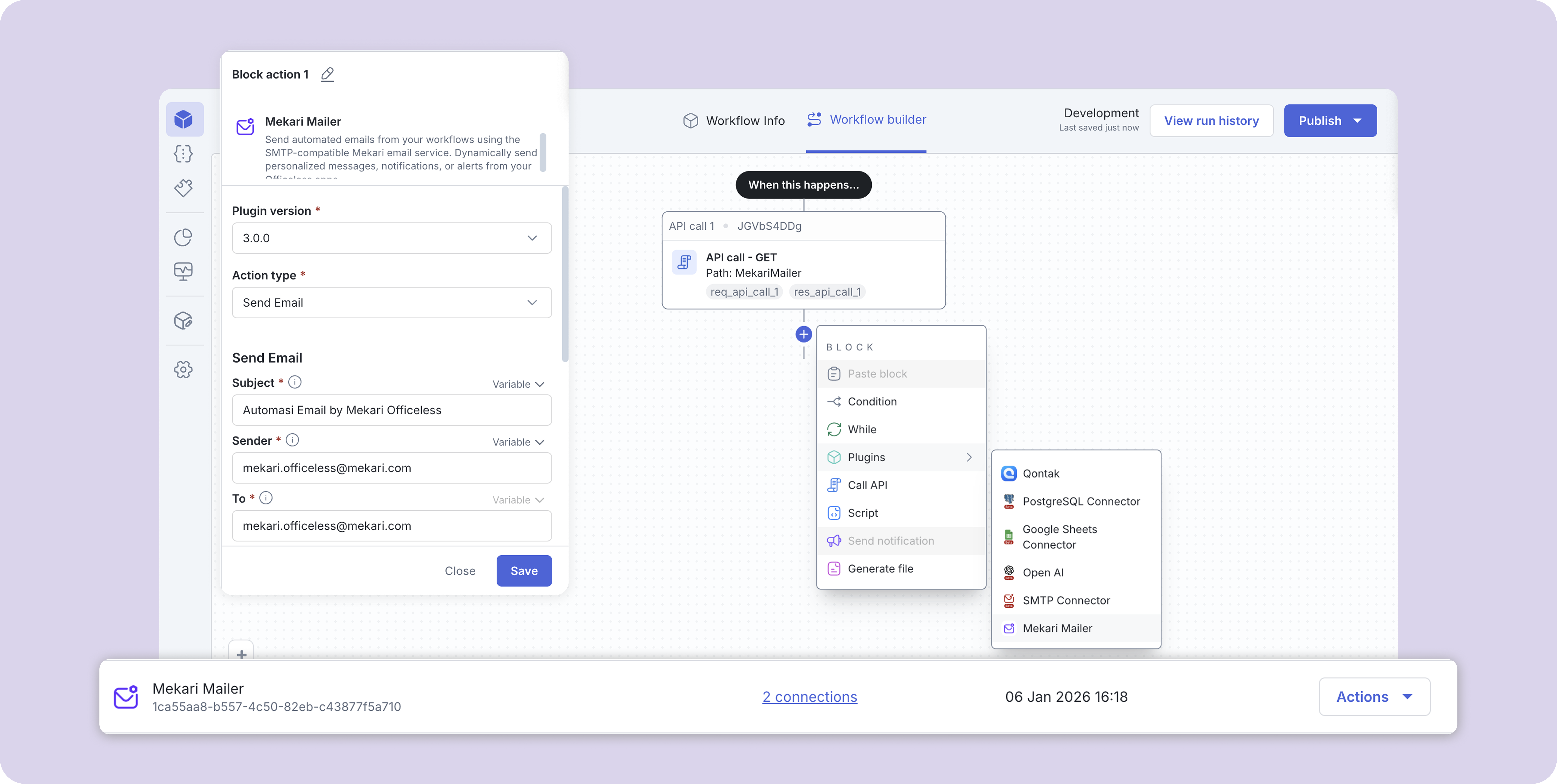
  • Integrated as an Action Block in Workflow Editor

05. Limitations

  • Sender email is fixed: no-reply@officeless.studio
  • Commercial limits are not configurable per company
  • No attachment support (current version)

06. Authentication

Authentication is fully managed by the Mekari platform. Users do not need to configure API keys, HMAC, or OAuth credentials.

07. Plugin Installation

  • Open Officeless Studio
  • Go to Plugins, Browse Plugins
  • Search for Mekari SMTP – Send Email
  • Click Install Plugin. Once installed, the plugin will be available for use in workflows

08. Create Connection

  • Although authentication is automatic, a connection is still required
  • Open Connections
  • Click Create Connection
  • Select Mekari SMTP – Send Email
  • Click Save
  • No credentials or secrets are required

09. Using the Plugin in a Workflow

  • Open the Workflow Editor to add Plugin as a Action Block
  • Add a new step
  • Select Mekari SMTP – Send Email
  • Choose the created connection

10. Retry & Best Practices

  • Add retry logic in the workflow for transient failures
  • Validate email input before triggering the action
  • Avoid bulk email usage beyond recommended limits
  • Future improvements may include built-in retry configuration

11. Security & Compliance

  • Plugin access and execution are controlled by Mekari platform authorization
  • Sender domain is managed and monitored by Mekari
  • Email body is encoded internally (HTML → Base64)

Assets preview

WhatsApp Icon