Mekari Mailer

Send automated emails from your workflows using the SMTP-compatible Mekari email service. Dynamically send personalized messages, notifications, or alerts from your Officeless apps.

Published by Mekari Developer Team 9 published templates

Overview

01. Overview

  • Plugin Name: Mekari Mailer – Send Email
  • Category: Communication / Notification
  • Authentication: Managed by Mekari Platform

02. When to Use This Plugin

  • Your workflow needs to send transactional or notification emails
  • The company does not have its own SMTP server
  • You want a no-code / low-code alternative to script-based email sending
  • Emails must be sent from a trusted Mekari domain

03. When Not to Use This Plugin

  • You need a custom sender email address
  • You require OAuth or third‑party SMTP providers
  • You need dynamic sender configuration per workflow

04. Key Capabilities

  • Send emails via Mekari SMTP
  • Support To, Cc, and Bcc recipients
  • HTML email content
  • Integrated as an Action Block in Workflow Editor

05. Limitations

  • Sender email is fixed: no-reply@officeless.studio
  • Commercial limits are not configurable per company
  • No attachment support (current version)

06. Authentication

Authentication is fully managed by the Mekari platform. Users do not need to configure API keys, HMAC, or OAuth credentials.

07. Plugin Installation

  • Open Officeless Studio
  • Go to Plugins, Browse Plugins
  • Search for Mekari SMTP – Send Email
  • Click Install Plugin. Once installed, the plugin will be available for use in workflows

08. Create Connection

  • Although authentication is automatic, a connection is still required
  • Open Connections
  • Click Create Connection
  • Select Mekari SMTP – Send Email
  • Click Save
  • No credentials or secrets are required

09. Using the Plugin in a Workflow

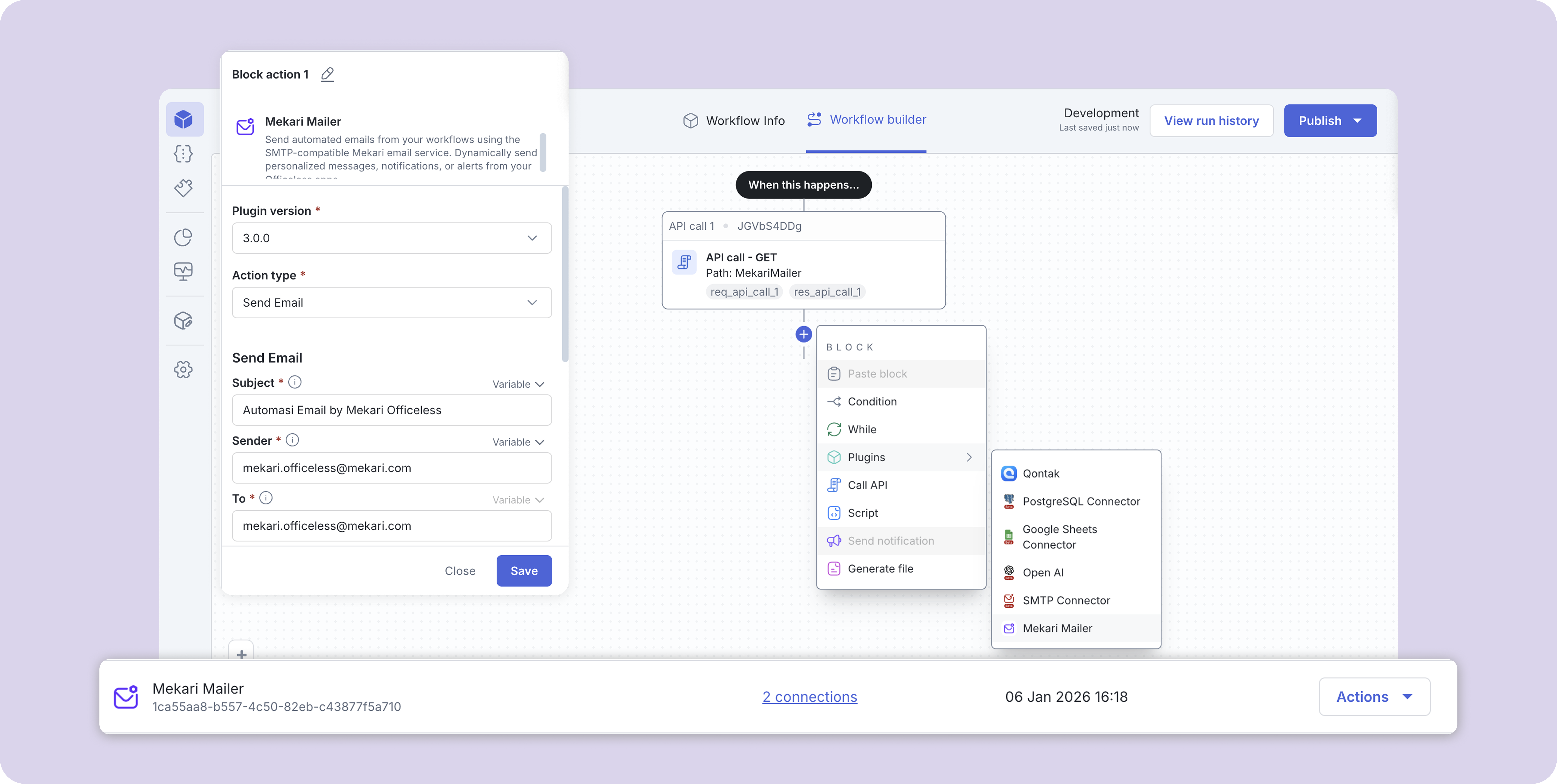
  • Open the Workflow Editor to add Plugin as a Action Block
  • Add a new step
  • Select Mekari SMTP – Send Email
  • Choose the created connection

10. Retry & Best Practices

  • Add retry logic in the workflow for transient failures
  • Validate email input before triggering the action
  • Avoid bulk email usage beyond recommended limits
  • Future improvements may include built-in retry configuration

11. Security & Compliance

  • Plugin access and execution are controlled by Mekari platform authorization
  • Sender domain is managed and monitored by Mekari
  • Email body is encoded internally (HTML → Base64)

Assets preview

Start your digital transformation with Mekari Officeless

Start building your own solutions with Mekari Officeless or you can discuss with our team for further assistance.

WhatsApp Icon WhatsApp sales